
*Internal* System Release Notes April 7th, 2026
Seller Settlements- Pending lots restricting certain functions
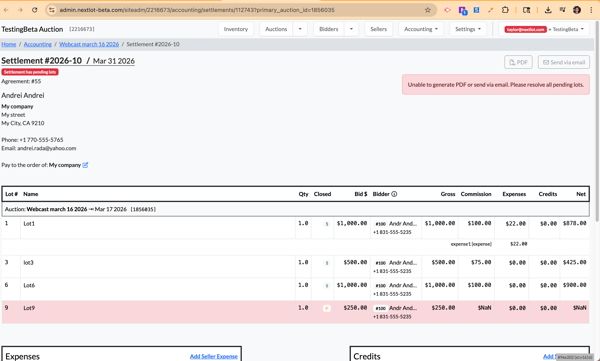
Previously, when a lot was clerked as “Pending” (e.g., it did not meet the reserve price or the auctioneer just elected to sell the lot pending in the webcast), the seller settlement would still populate, but the balance would display as “$NaN.” This prevented you from generating the seller settlement PDF or sending it via email. Additionally, there was no clear indication of why this error was occurring on the settlement itself.
This has now been improved. If there are pending lots on a seller settlement, the system will display a red error message explaining why you cannot generate the PDF or email the settlement. The message will prompt you to “Please resolve all pending lots.”
The system will also highlight the pending lots in red, making it easy to identify which lots need to be updated in the clerking grid (either marked as Sold or No Sale) before proceeding. The reason behind this is that there is no way for the commission structure to be applied to a Pending lot and without having all lots on the settlement resolved, the amount due to the seller (and commissions earned) are unable to be fully calculated.
FEATURE – Auction Company Internal Note Field on Invoices
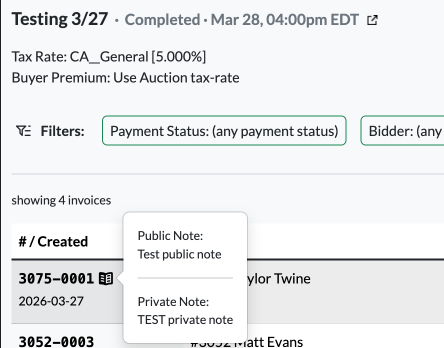
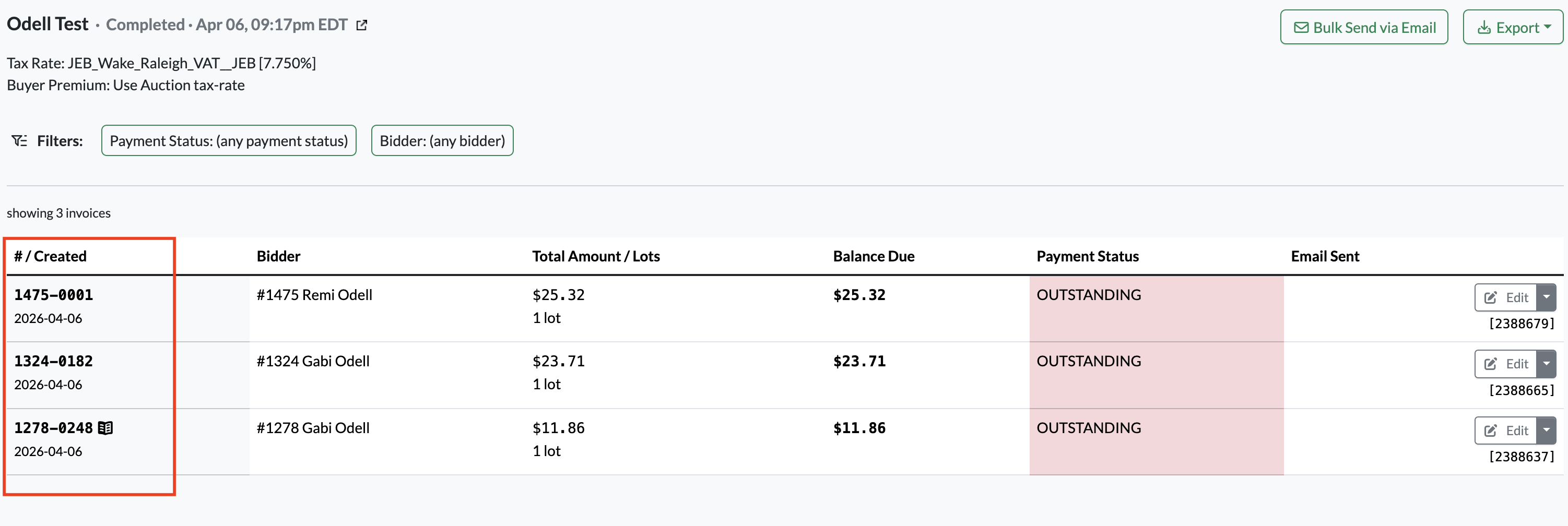
When navigating to the Bidder Invoices page for an auction, you’ll now see a notes icon on the left-hand side next to the invoice number if that invoice has a note on it. Hovering over this icon will display both note types associated with the invoice:
- Public Note – visible to the bidder on their invoice
- Private Note – visible only to admins
Adding Notes to an Invoice
When you open a bidder invoice, you’ll see two sections for notes:
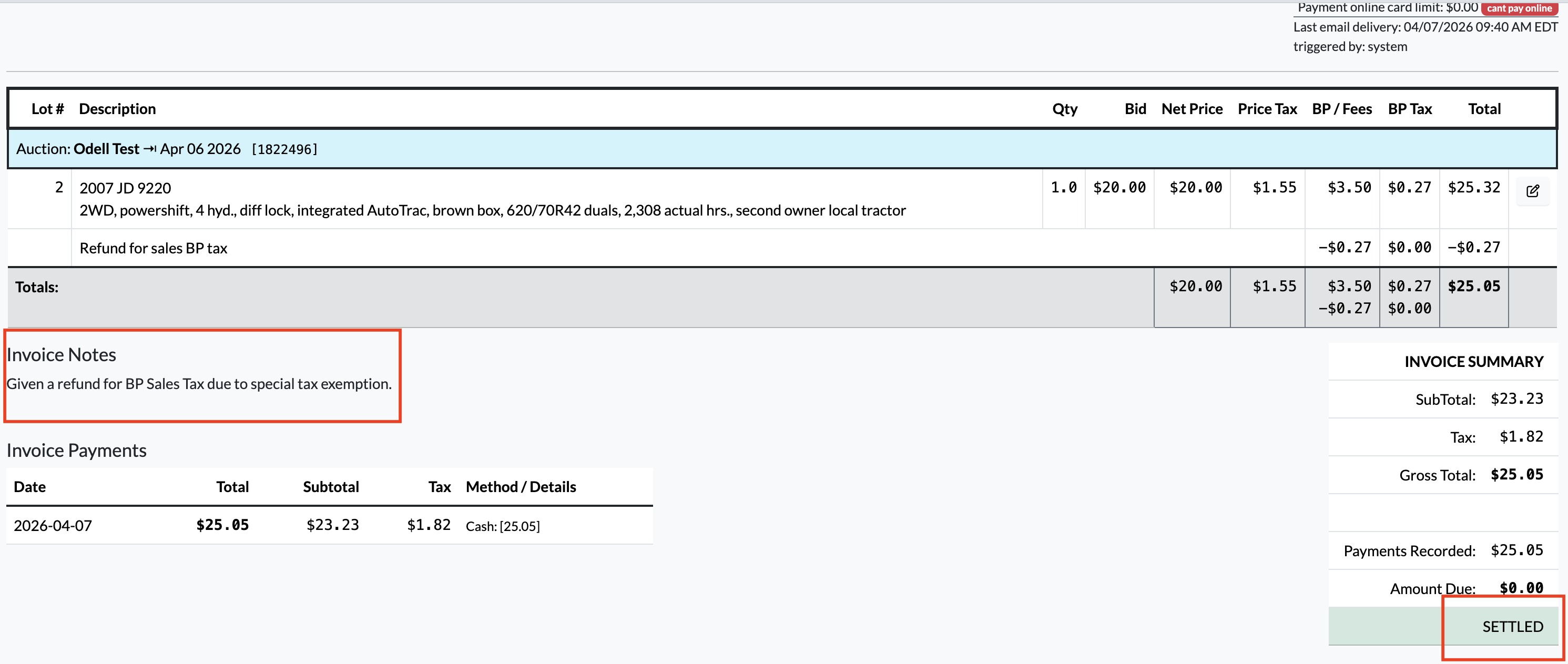
- Bidder Invoice Notes (Public Note)
- Located at the bottom-left of the invoice
- This note is included when the invoice is emailed or downloaded as a PDF
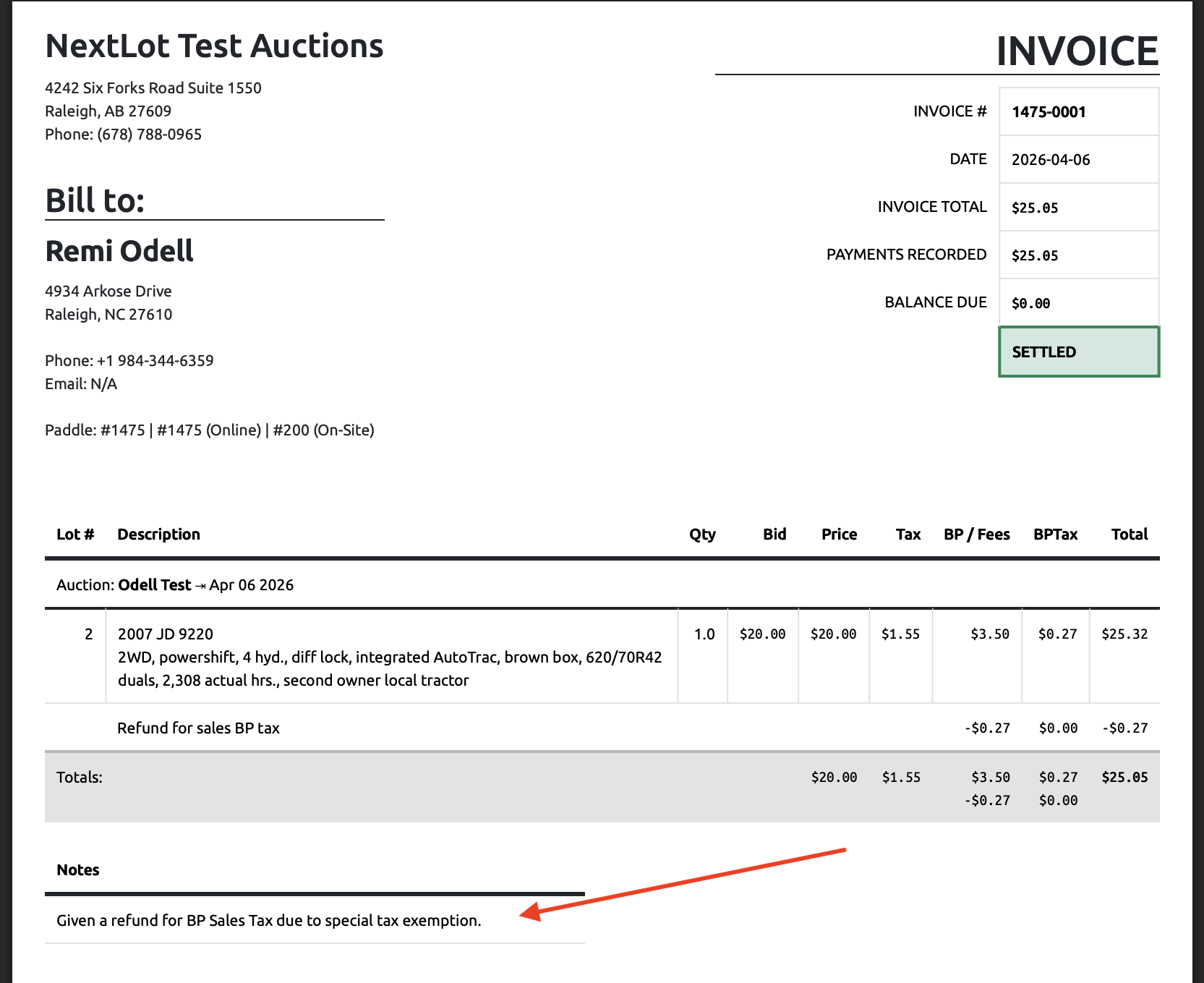
- Can only be added or edited before payment is made
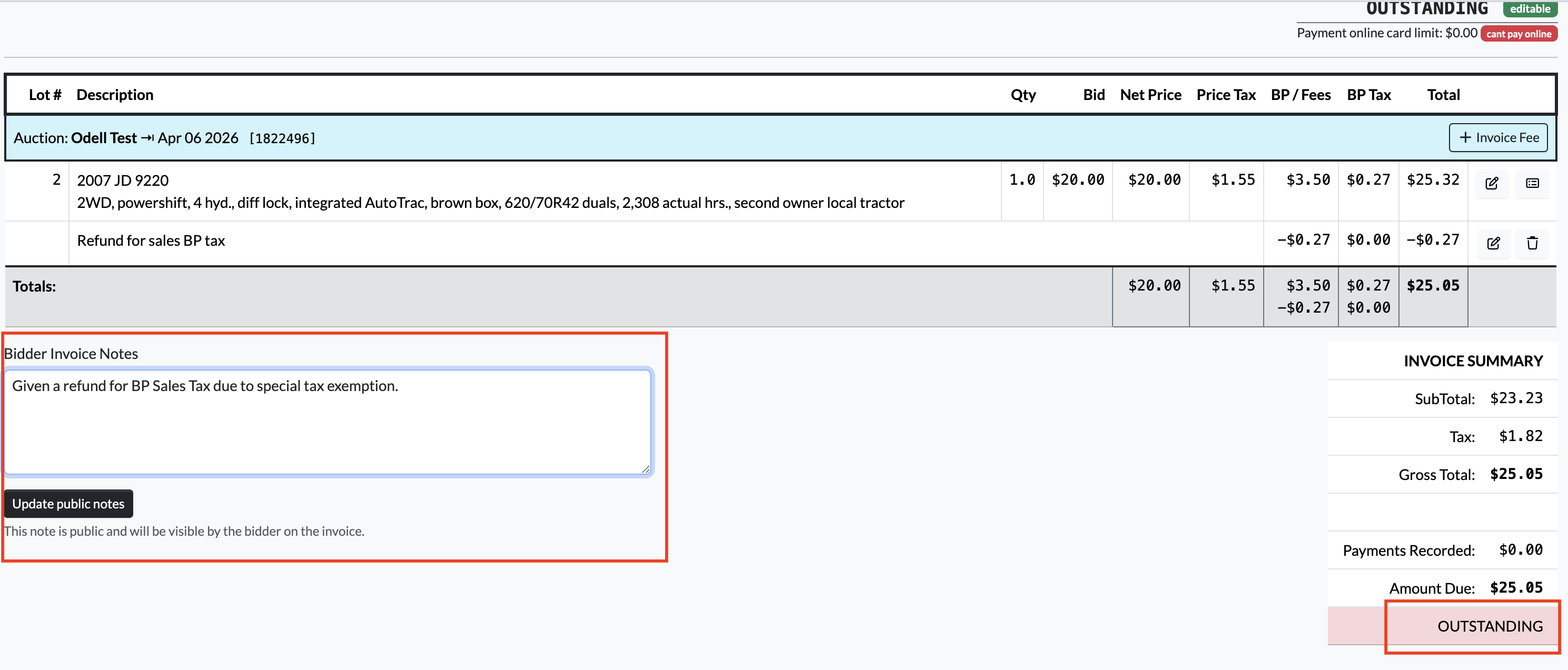
- Once the invoice is paid, this note becomes locked
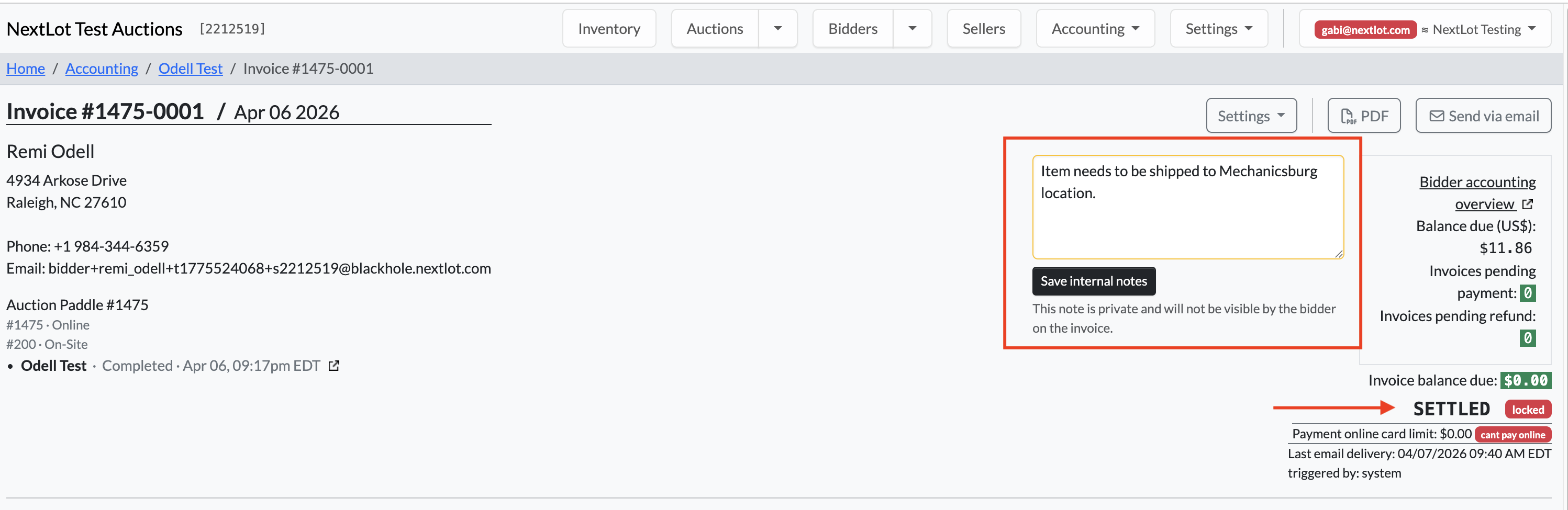
- Private Note
- Located in the upper-right section of the invoice
- Visible only to the auction house/admins
- Does not appear on the bidder’s invoice
- Can be edited before and after payment
Additional Details
- The notes icon will only appear if there is at least one Public or Private note added.
- Both Public and Private notes are now included in exports:
- Go to the Bidder Invoices page
- Click the green “Export” button
- Select “Report with all invoices”

- The report will include:
- Public Invoice Notes (Column O)
- Private Invoice Notes (Column P)

This update makes it easier to track and manage both internal and customer-facing notes directly from the invoices page.