*Internal* System Release Notes January 2, 2026
New Catalog App Release: Catalog App Version 3.0.3 is now available in the Apple App Store and the Google Play Store. Details on the changes are listed below. Click on the links to download the new version:
Apple App Store
Google Play Store
Catalog App Update: Images Displaying Properly in Multi-Row Format
When taking photos within the Catalog app, once you click “Done” after finishing photos for a lot, you are automatically returned to the lot summary page where the new images appear.
Previously on Apple devices once the images were taken but before they uploaded, they would be displayed in a single column across multiple rows (see below).
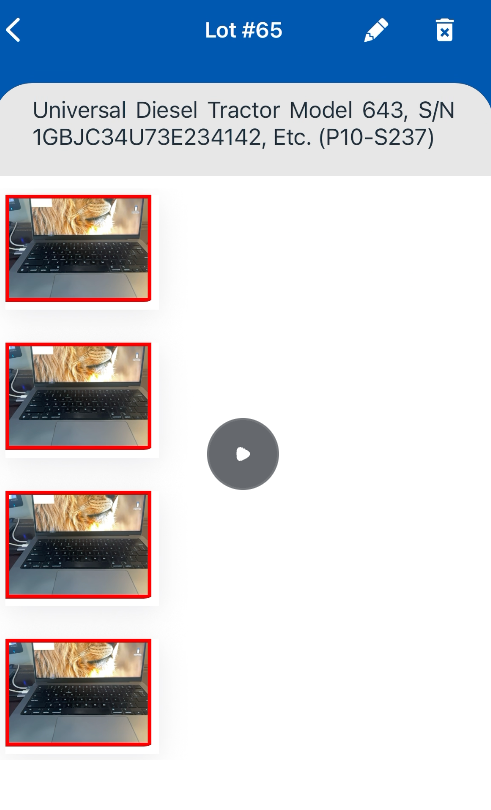
The images are now displayed in a multi-row layout, with up to three images per row. No page refresh is required—the app automatically updates and formats the images upon return to the lot summary page.
Please see the video below for an example.
Catalog App Update: When Using the Search Option in the Catalog App- Keep the search applied AFTER you leave the catalog to take Pictures
When you perform a search within a catalog and open a lot that appears in the search results, exiting that lot will return you to the Catalog view with the same search filter still applied. This behavior matches the Admin Catalog view and helps speed up edits for similar items. Please see the video for a demonstration.
Once you clear the search criteria in the search criteria at the top of the catalog, you will be brought back to the TOP of the catalog listing (the first lot). You also do NOT have to remain in the lot image view (as shown in the video above) for this feature to work.
Additionally, the system now remembers your scroll position while a search filter is applied. For example, if you search for “Tractor,” receive 100 results, scroll to the 80th lot, open that lot to take photos, and then click Done, you will be returned to the Catalog view with the “Tractor” search still active and positioned at the same scroll location where you left off (80th lot).
This allows for faster, more efficient navigation when working through large groups of similar lots. Please see the video for a demonstration.