
*Internal* System Release Notes March 3rd, 2026
UPDATE- EmailVerify & House Accounts
We understand that many auction houses create “house accounts” to bid within their own auctions for alias purposes.
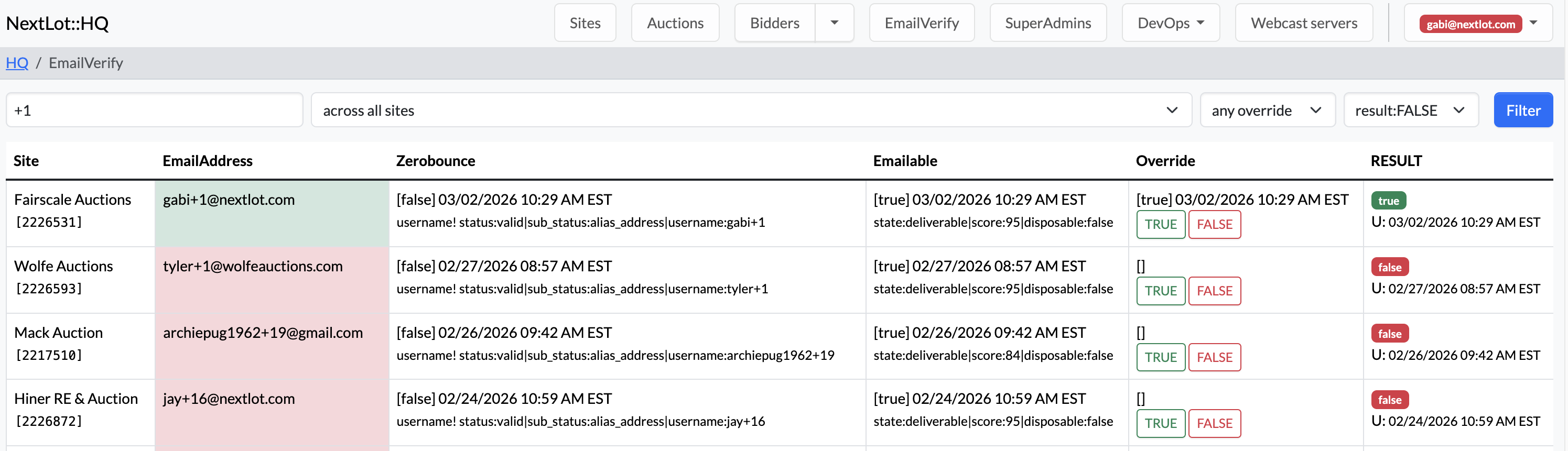
If a house account is created using a “+1” format in the email address—for example:
the registration email itself will be blocked (not the account), meaning the user will not receive the registration confirmation email.
If a client calls stating they are trying to create a new alias account and did not receive the registration email, you can resolve this by:
- Having the client attempt registration (so the initial registration email is triggered).
- Navigating to EmailVerify and marking the email as True.
- Returning to the client’s registration page.
- Resending the registration email.
After completing these steps, the email should be successfully delivered.
Important: This is a SuperAdmin-only feature, so the Account Manager will need to complete this process on the client’s behalf. If your customer is upset about this process, remind them that this protection against alias email accounts helps to prevent potential fraud from bidders registering accounts with the same email address that may have been blocked by using an alias.
REMINDER: Currency is Now a Site-Wide Setting
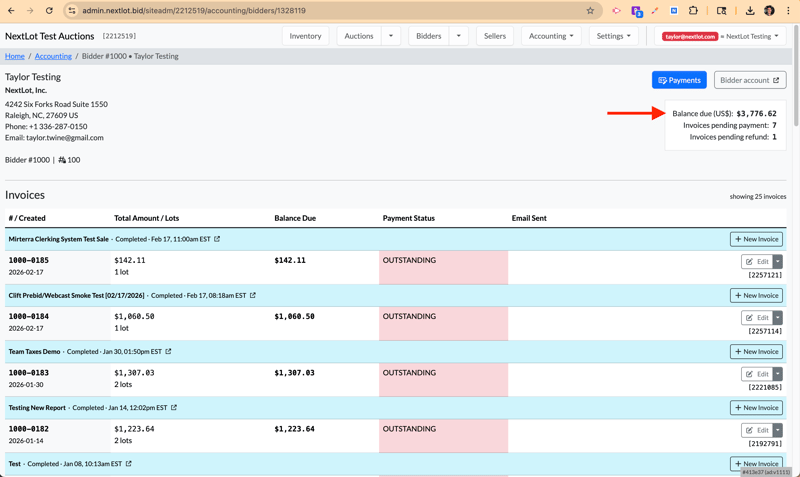
The currency option is now a PER site versus a Per sale. It cannot be set per auction or per bidder.
The system is updated to be this way to ensure all totals and financial calculations remain accurate and consistent across the platform. Now that there is a BIDDER total amount due on their bidder account, the site needs to have all the auctions be held in the same currency.
Only 3 clients (Steffes [US $ and Canadian $], Monaco [Euro and Swiss Franc], Alex Lyon [US $ and Canadian $]) have had auctions using different currencies and they do not plan to adopt NextLot Invoicing any time soon, so it should not affect their needs.
How to Update Currency:
- Navigate to Site-Wide Settings.
- Select General.
- Scroll down to Default Currency.
Please note that this is a SuperAdmin-only feature. If a currency change is required, the client must contact you so it can be updated accordingly.
.png?width=1864&height=521&name=Screenshot%202026-03-02%20at%2011.45.51%20AM%20(2).png)
.png?width=907&height=136&name=Screenshot%202026-03-02%20at%2011.42.55%20AM%20(2).png)
If you change a currency on a site AFTER invoices are generated, it may cause issues in accepting payments or paying sellers. If you encounter an instance where the currency needs updating for a client, please reach out to the Product Team.
NOTE- Timed Auctions that are reused will NOT have up to date Clerking Grid Data
There have been instances recently where customers have created an auction and used the default start (10am the NEXT day from auction creation) and default closing time (10am 2 days from auction creation) and then left them unpublished while they build the catalog over the next 3 days or longer.
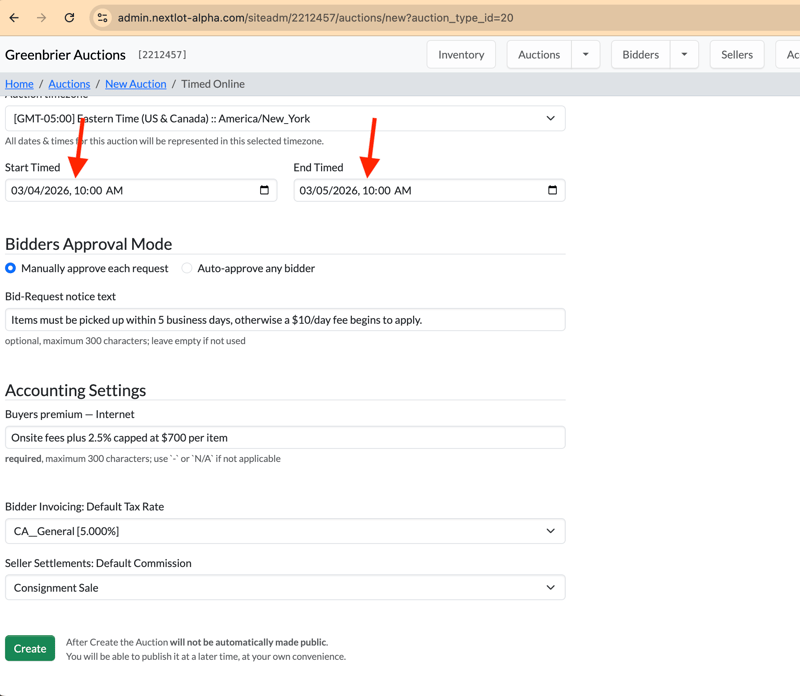
Once the original default closing time has passed, the auction will automatically move to the Completed Auctions tab — even if the auction has not actually been run yet.
If the customer then updates the auction times, republishes it, and proceeds to run it, the system will interpret the situation as follows:
Because the original closing time already passed, the system considers all clerked lots to have ended with No Sale (no bids).
Timed Report vs. Clerking Grid Discrepancy
As shown in the screenshots below:
- The Timed Report may display lots as closed with bids and show a leading online bidder.
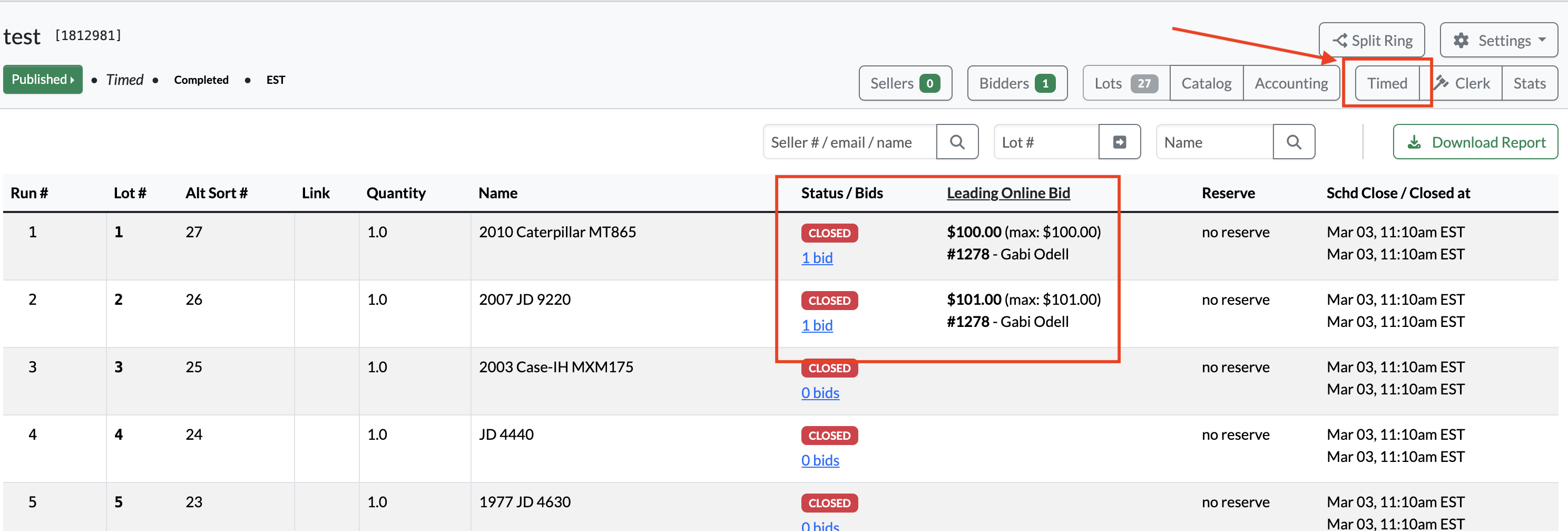
- However, this does not translate to the clerking grid.
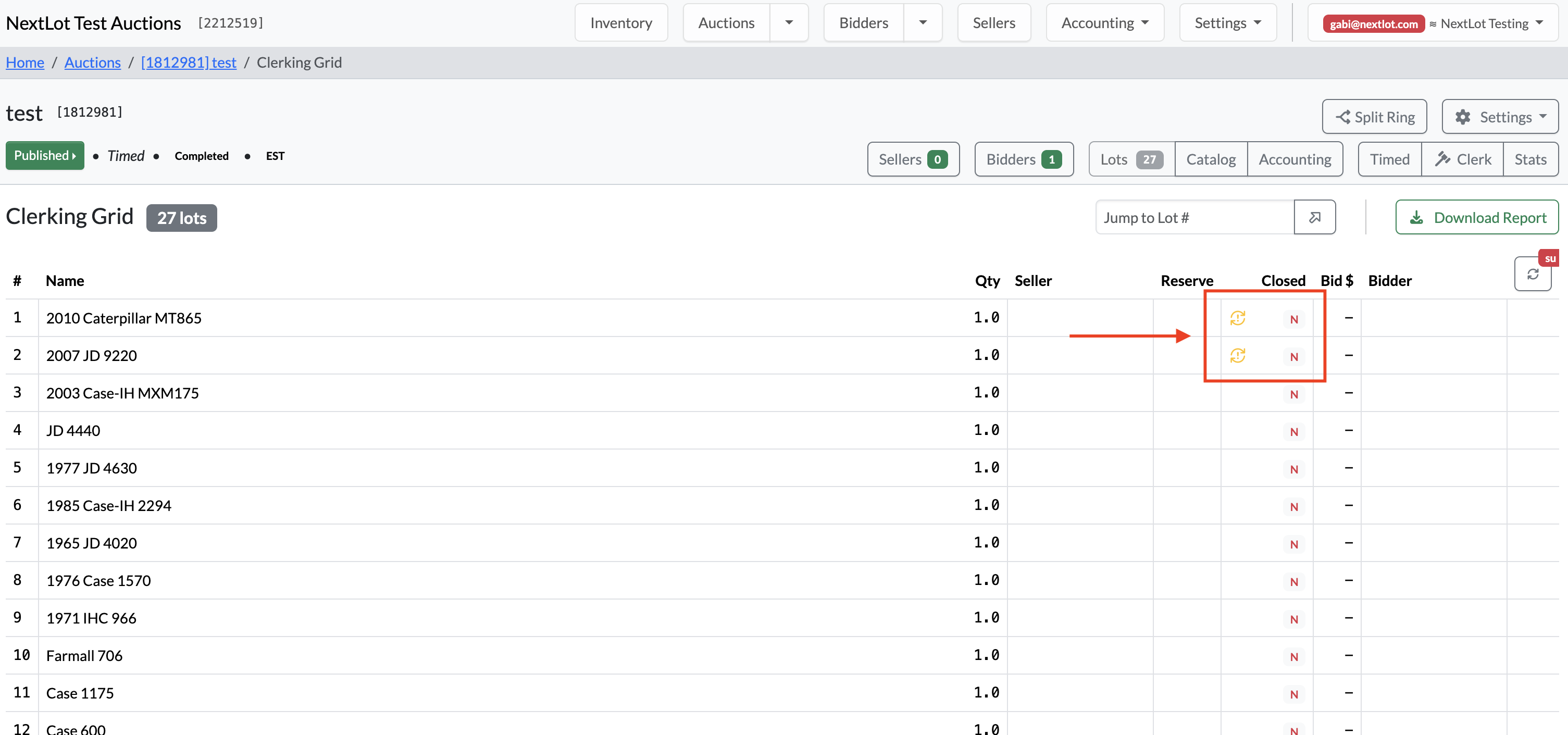
On the clerking grid, you will notice:
- All affected lots appear as No Sale.
- A yellow exclamation mark icon appears next to the sold status.
This icon indicates a divergence state, meaning:
- "This lot has been edited and no longer matches the bidder outcome"
- The lot’s original closing time has already passed.
- New bidding data now exists in the Timed Report.
- The system recognizes a mismatch between the original close state and the updated bidding activity.
Important Clarification
This situation only applies to timed auction lots that were added to the auction Before the original default closing time.
If no new lots were added and the customer simply adjusts the start and end times and then adds lots, the lots will clerk properly and the clerking grid will function as expected without triggering a divergence state.
FEATURE- Offer Option to Export Auction Lot Data into a Spreadsheet
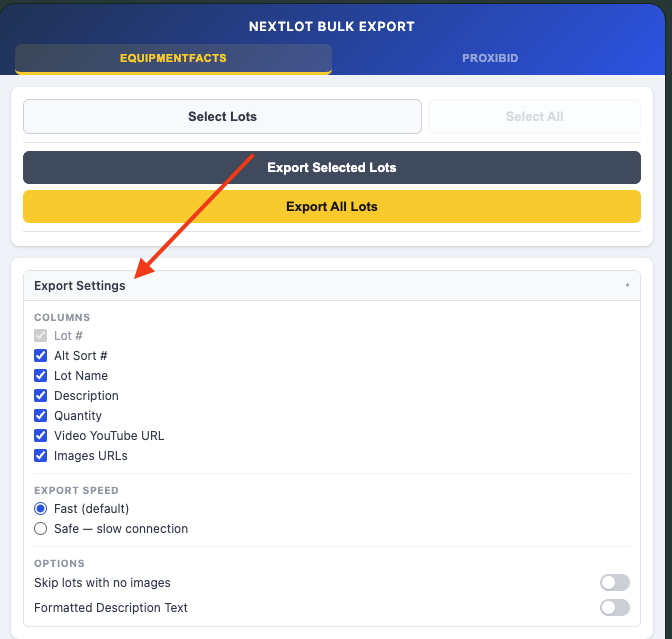
Tyler has created a Google Chrome Extension that will allow us to export the lot data from the Admin Lots Cataloging Page, including image URLs, to accommodate Proxibid & Equipmentfacts bulk upload formats. Click here to download and install the Widget:
https://chromewebstore.google.com/detail/nextlot-bulk-export/mgagaikfiadmeedmdoeieghepiheknmg
Once installed, this widget will appear in the upper right hand corner of the browser (make sure to pin the widget so that it shows).
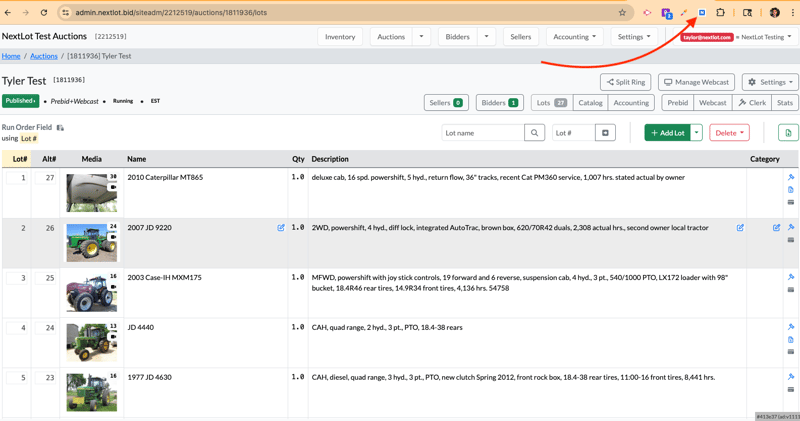
When on the lots cataloging admin page, click on the widget to open it and it will open up on the right hand side of the screen
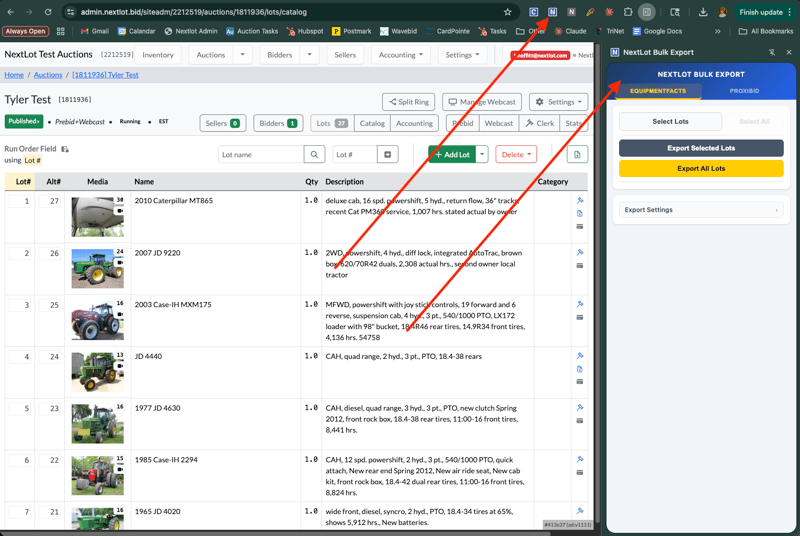
Once open, select what format you are wanting to export the information for (Equipment Facts or Proxibid). The way the data is formatted for importing for each platform is different, so ensure you have selected the appropriate 1 for the platform where you will be wanting to import the information.
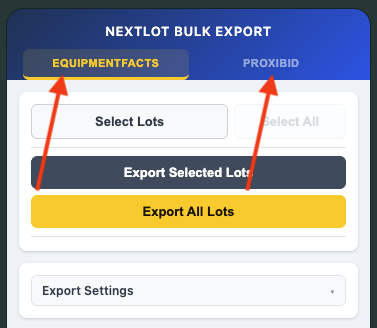
Once chosen, then choose the applicable fields you want to export (no real reason NOT to export ALL of the information).
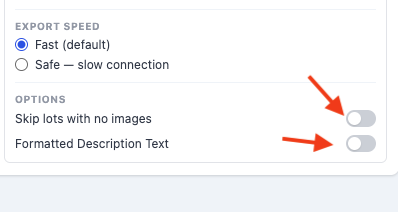
You can filter to NOT export lots that contain no images and choose how you want the lot description formatted (with or without the HTML coding that leads to bolding, line breaks, etc). Some platforms (EF and Proxibid) do not allow for HTML formatted lot descriptions, so you will want to NOT toggle the formatted lot descriptions when exporting for these platforms).
Updated Knowledge Base Articles:
How To Set up So Bidders Can Pay their Auction Invoices Online Through the NextLot UI
How to Re-order your Auction using the Alt-Sort #