
*Internal* System Release Notes April 17th, 2026
FEATURE – Quick Access from Auction Bidders to Bidder Invoices
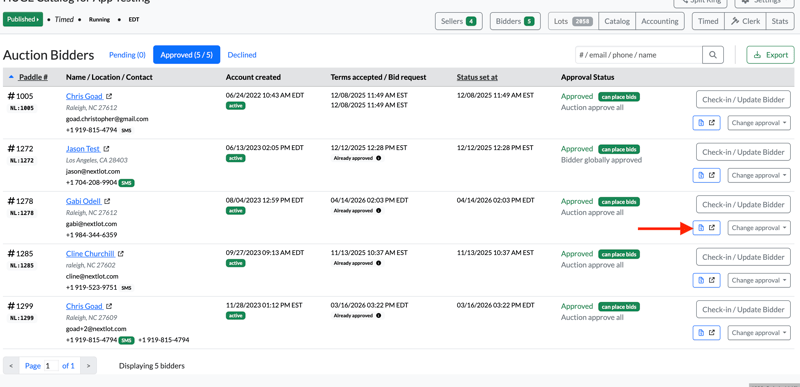
To make it easier for admins to locate bidder invoices (both onsite and online), there is now a new icon on the Auction Bidders screen within an auction.
You’ll see an invoice icon on the right-hand side. When you hover over it, it will display “Go to Bidder Accounting Overview.”
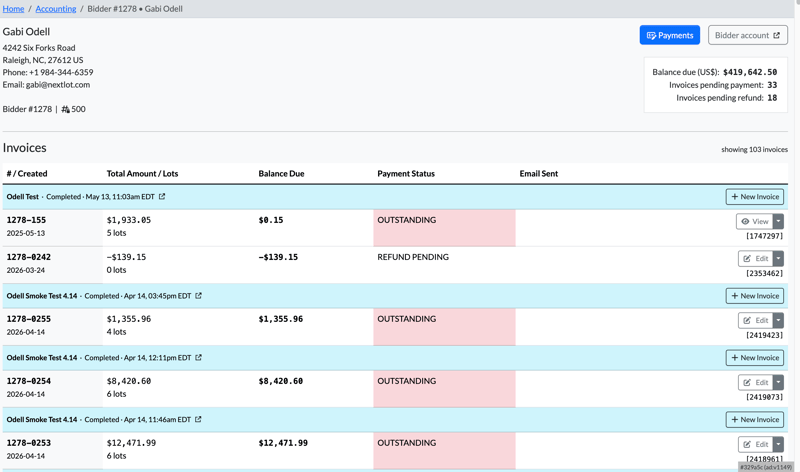
Clicking this icon will take you directly to the bidder’s Accounting Overview, where you can view all of their invoices—both outstanding and finalized. This makes it much quicker and easier to review, edit, or process payments during checkout, especially for onsite bidders.
UPDATE – Restricted Ability to Delete Lots During a Live Webcast
To help prevent catalog errors during a live auction, lots can no longer be deleted while a webcast is actively running.
If you attempt to delete a lot from the catalog during this time, a red error banner will appear with the message: “Record invalid: cannot delete Lot while webcast is running.”
This safeguard helps ensure a smoother clerking and invoicing process during the auction. Please see the video below for an example.
If you need to remove a lot from an auction during a webcast, we recommend you update the lot name and description of the lot to state that the lot has been removed from the auction (like below).
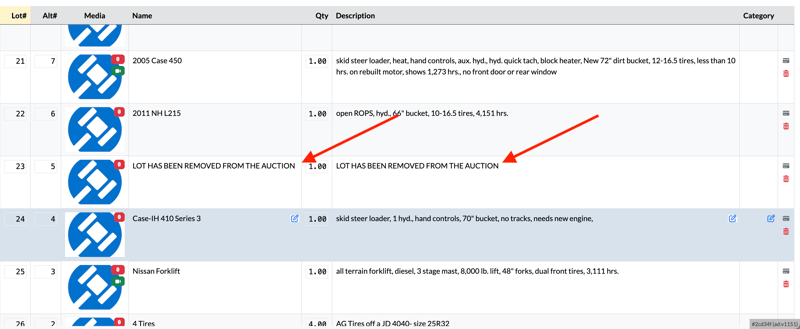
Once the information has been updated, you can sync with the webcast and the lot's updated lot of it being removed from the auction will be listed.