
*Internal* System Release Notes May 1st, 2026
FEATURE: Ability to Check in Sellers using Drivers License Scanner
Along with the ability to check-in/register bidders in webcast based auctions using an ID scanner, we now have the ability to do do the same with sellers across all auction types.
If you go to an auction and click on the sellers tab, you will now see the driver's license scanner icon next to the field where you can type in to search for a seller by seller permanent #, email, name or phone #.
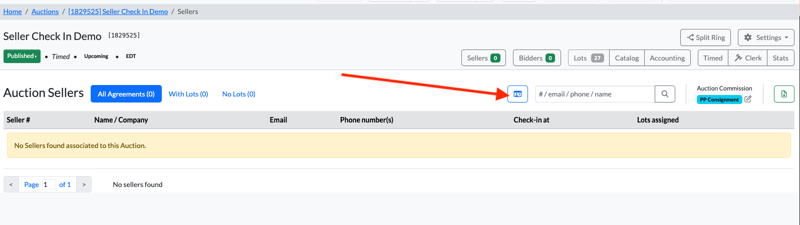
If you click on the driver license scanner icon, it will present you with the ID scanner input area.
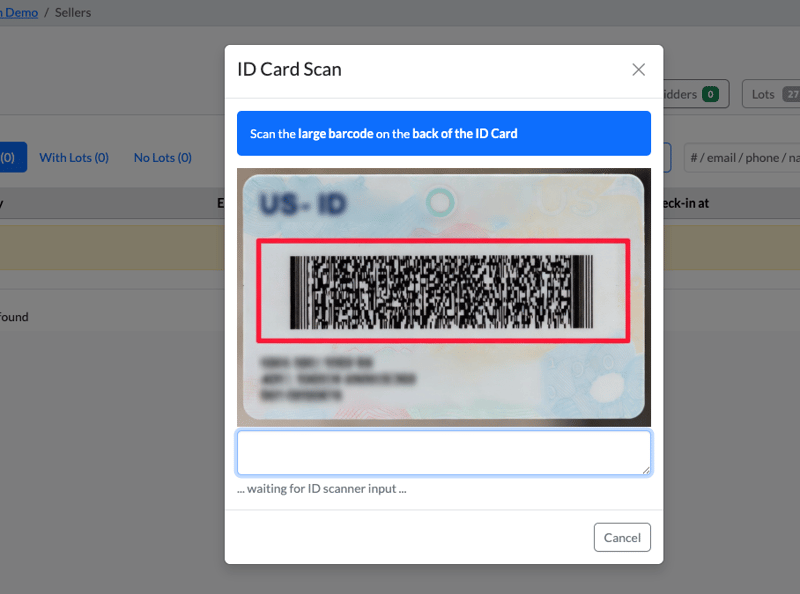
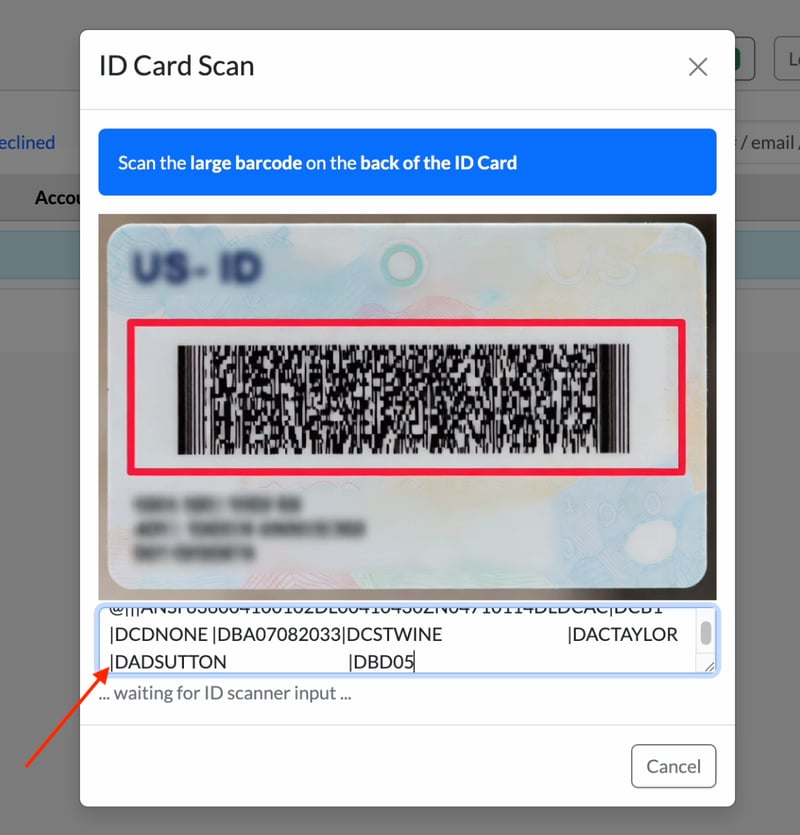
Simply scan the seller's ID and you will begin to see the information from the seller's ID begin to be processed on the screen.
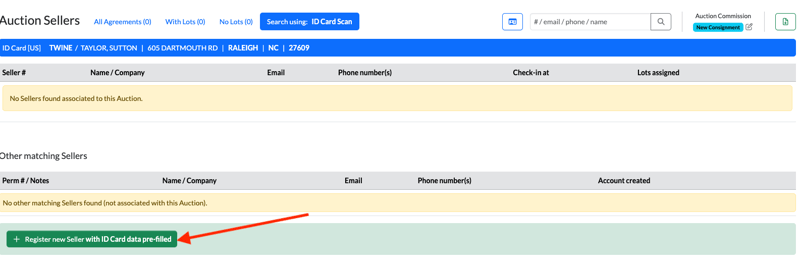
Once the scanning process is complete, you will be brought back sellers tab and it will show that it searched for sellers using the ID Card Scan and it is presenting results with the person's last name, in the particular city, state and postal code that match.
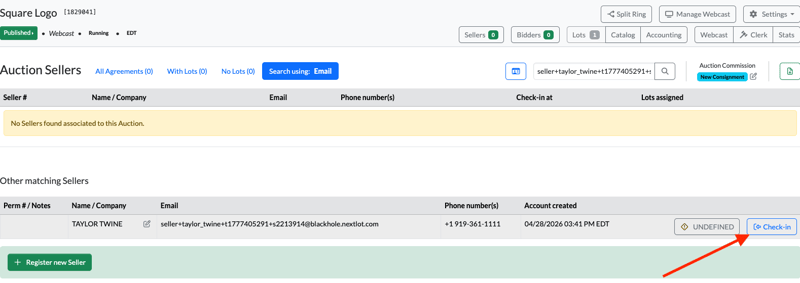
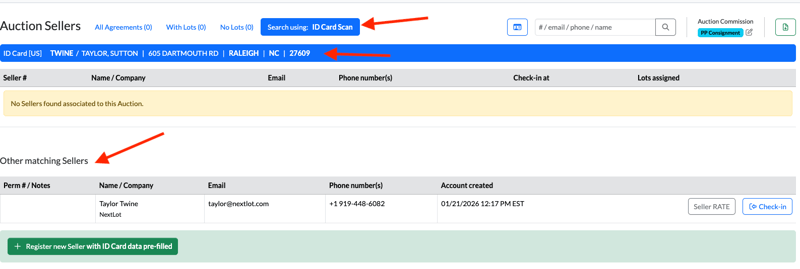 It found 1 seller in the database that matched the ID that was scanned. If this is the ID that you scanned, you would click Check-in and check in the seller for that auction.
If a seller has never sold with an auction company before, then there will be no results found for that seller on the site. In order to register this new seller, you will want to click on the Register new seller with ID Card data pre-filled.
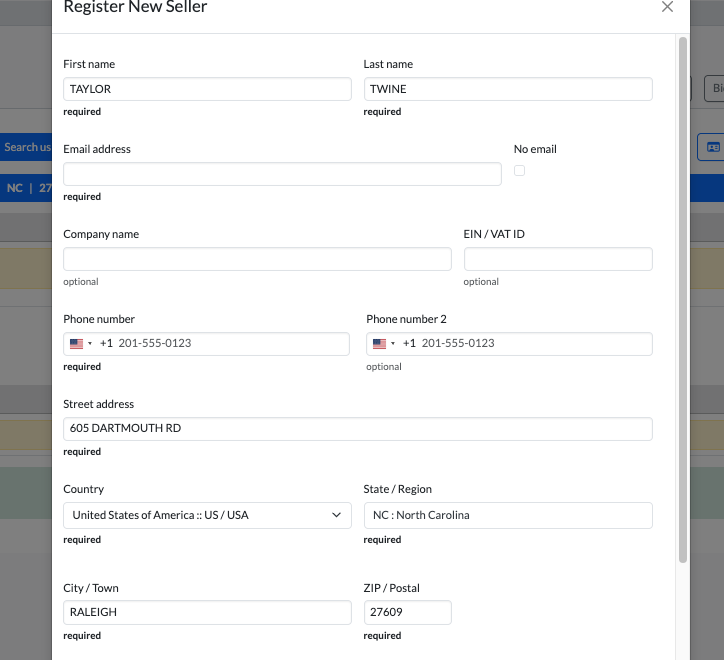
 This will then bring up a a new seller registration form with the seller's name and address prefilled with the information from their ID.
You can then create the seller and then check them into the auction.
This process should streamline your seller check-in and increase efficiencies with registering and checking-in sellers.
If you need to learn more information on the types of scanners and configuring the scanner, please refer to the previous blog post here:
https://devops.nextlot.com/blog/internal-system-release-notes-april-21st-2026
Feature – Ability to Show/Hide Lot Descriptions on Seller Settlements
We understand that it may be necessary to display the lot description on seller settlements, similar to how bidder invoices currently function. This feature can now be configured site-wide or adjusted on an auction-by-auction basis.
Site-Wide Setting
To configure this setting site-wide:
- Navigate to Site-Wide Settings
- Select the Master Settings tab
- Go to Auctions
- Click the Accounting tab
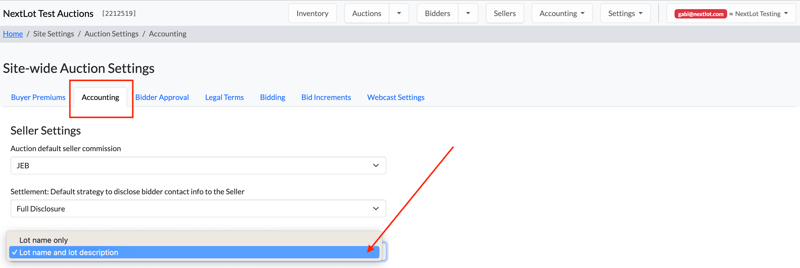
- Locate “Settlement: Lot Line Description”
From the dropdown menu, you can choose between:
- Lot Name and Lot Description
- Lot Name Only
The system default is Lot Name Only.
.png?width=800&height=161&name=Screenshot%202026-04-30%20at%203.55.54%20PM%20(2).png)
Auction-Specific Setting
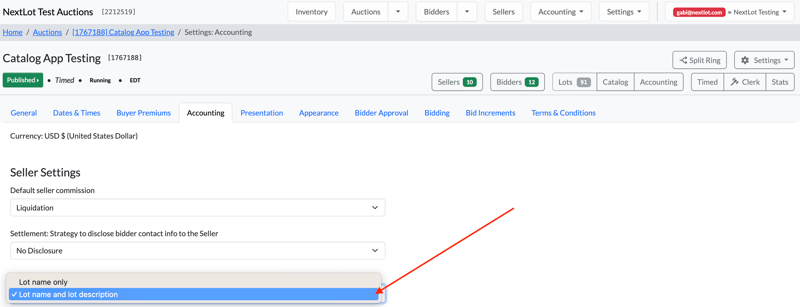
To configure this setting for an individual auction:
- Open the applicable auction
- Click the gear icon on the right-hand side
- Select Accounting
- Locate “Settlement: Lot Line Description”
- Choose either:
- Lot Name and Lot Description
- Lot Name Only
.png?width=800&height=268&name=Screenshot%202026-04-30%20at%203.56.18%20PM%20(2).png)
Additional Notes
- You can update the Settlement: Lot Line Description setting even after settlements have been created.
- Existing settlements will automatically update to reflect the new selection.
- This feature is only available for clients who use the system to manage sellers. If a client does not track sellers within the platform, this setting will not be visible or available.
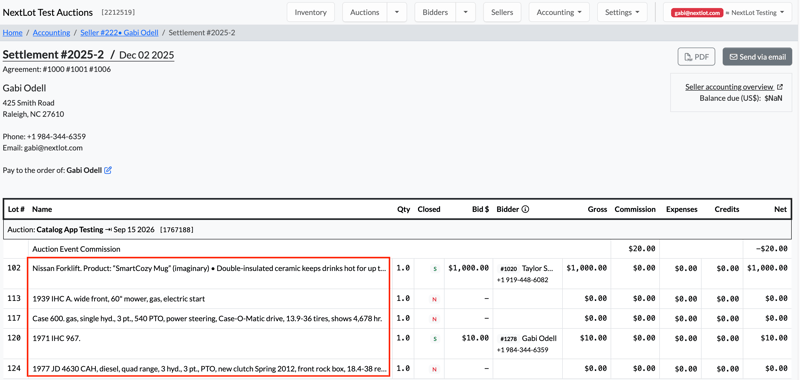
- The Lot Name and Description field on the seller settlement can show a maximum of 123 characters and the "..." in the UI that you will see on some of the line items below means that the Lot name and/or description is longer than 123 characters.
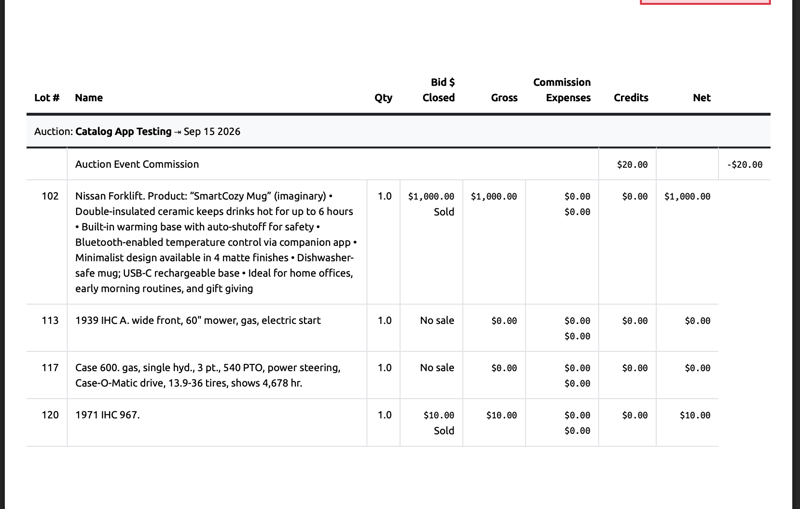
- When PRINTING or emailing the PDF settlement, the PDF will show the FULL description of the lot (not truncated like it is in the UI.
UI View:
-2.png?width=800&height=311&name=Screenshot%202026-04-30%20at%203.56.50%20PM%20(2)-2.png)
PDF View:
Bug Fix – Unable to Process Refunds When Refund Line Item Exceeds Character Limit
Previously, refunds could not be processed if a line item exceeded the character limit due to a long lot name and/or lot description (when the description display feature was enabled).
With this fix, both partial and full refunds can now be processed correctly even when the line item exceeds 250 characters.
In the video below, you will see:
- A bidder invoice containing a line item longer than 250 characters
- A successful partial refund being processed on that lot
The same functionality now applies to full refunds as well.
Updated Knowledge Base Articles